Description
The RC2014 Zed Mini takes all of the features of the modular RC2014 Zed II but in a mini form factor. This kit includes a Z80 CPU running at 7.3728MHz, 512k ROM, 512k RAM and a 16C550 UART. The ROM is programmed with RomWBW 3.6.0. An RC2014 Enhanced Bus connector allows compatibility with the whole range of RC2014 compatible expansion modules. Adding a backplane will allow for multiple expansion modules.
The Hardware
At the heart of the Zed Mini is a Ziog Z80 CPU. This is clocked at 7.3728MHz. A DS1233 Reset Manager controls the reset line to ensure a clean boot on power-up. The 512k ROM and 512k RAM are divided up in to 16k banks. These banks can be swapped in and out of the Z80s 64k address space. There is a 16C550 UART which runs at 115200 baud. This is on port 0x80, but can be swapped to 0x88 if a second port on 0x80 is added. A maximum of 8 serial ports is supported. A keyboard port which has the Tx and Rx pins from the UART is also present
Storage and Expansion
The RC2014 Zed Mini can be used on its own without any storage or other expansion modules. The practical use will be limited however. At a minimum, some form of storage is recommended. Adding other I/O modules, such as the Digital I/O, Why Em-Ulator sound card, RP2040 VGA Serial Terminal or LCD display can really open up the options.
A single Enhanced Bus connector is fitted. This can use either Standard Bus or Enhanced Bus modules. Whilst this will only take one module, you can add a backplane to increase the number of modules you can add. A Backplane 5 with a stackable header in slot 1 will sit perfectly on top of the Zed Mini and give you 5 slots of possibility. Note that the Backplane 5 and Backplane 8 only contain Standard Bus slots, so if you need to use an Enhanced Bus module (eg Micro SD Storage) you will need to run a jumper cable between the module and the Zed Mini for any Enhanced Bus signals. The Backplane Pro does have Enhanced Bus slots, although this is much larger than the Zed Mini and the RC2014 Zed Pro II may be a better option.
For storage, any combination of compact flash, micro SD, CH375 USB or IDE hard drives are supported in RomWBW.
Software
The Zed Mini is supplied with RomWBW v3.6.0 pre-programmed on to ROM. This is a very powerful piece of software that lets you boot in to a system monitor, various CP/M operating systems, BASIC or Forth. There is a lot of bundled software that runs under CP/M including games, programming environments, utilities and productivity programs.
RomWBW takes care of all the memory management, as well as detecting and providing drivers for a large range of hardware. This includes the LCD Driver Module and the Front Panel Kit, or the Why Em-Ulator sound card.
Perspex Enclosure
An optional clear Perspex enclosure is available which keeps your Zed Mini looking smart and dust-free. This includes a bottom bumper, top layer with expansion slot access, and fixing hardware. Note that this is not compatible with the Backplane 5.
Why choose the RC2014 Zed Mini
The RC2014 Zed Mini has all the power of the RC2014 Zed II, but in an RC2014 Mini II form factor. This gives you the best of both worlds. It is also compatible with Mini II expansions such as the Mini II Proto Board for developing your own hardware.
If you want the ultimate in power and expendability, the RC2014 Zed Pro II is the way to go. Alternatively, the other RC2014 kits get closer to the hardware, with the RC2014 Orton 3C being as low level as you can get.
What is included
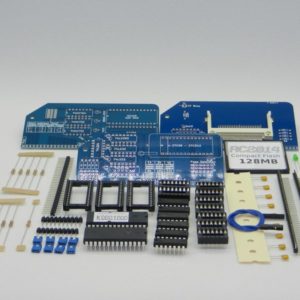
The RC2014 Zed Mini kit includes PCB, sockets, headers, ICs, pre-programmed ROM, passive components and a USB power lead. If other optional modules are bundled with this, please see the relevant product listing to check what is included.
It is assumed that you have your own soldering equipment (basic tools are sufficient), and have at least beginner’s experience.
You will need to supply your own USB power adapter (500ma or higher). For connecting to a modern PC/laptop you will also need an FTDI compatible cable.
Further considerations
RomWBW has support for a Front Panel. This allows pre-selecting boot options, drive status lights, and also an LCD screen. These are not required, but if mounting your RC2014 in a Blue Box enclosure, really gives that period professional feel.